

Subway Surfers Coding Projects and Repositories
Subway Surfers coding projects on GitHub are mostly fan-made, educational, or experimental recreations rather than the original game’s source code. GitHub currently has a dedicated Subway Surfers topic with public repositories covering several languages and project types, including JavaScript, Python, C#, HTML, and others.

Developers have used these projects to explore endless-runner mechanics, browser gameplay, game development, computer vision, and artificial intelligence. Some repositories recreate parts of the gameplay in WebGL or Unity, while others experiment with controlling the game through computer vision or machine learning.
These repositories can be useful for learning how features such as player movement, lane switching, obstacles, collisions, scoring, and game loops are implemented. However, a repository using the Subway Surfers name should not automatically be treated as an official Subway Surfers codebase. When exploring a project, check its README, technology stack, license, project activity, dependencies, and required files before downloading or running anything.
What Subway Surfers GitHub Projects Usually Contain
Subway Surfers-related GitHub projects can contain very different types of code depending on who created the repository and what they were trying to build. A typical fan-made or educational project may include player movement, lane switching, jumping, sliding, obstacle detection, collision handling, coins, scoring, menus, and basic game-state logic.
Unity projects may also contain scenes, prefabs, scripts, and project assets, while JavaScript projects can include browser game files such as HTML, CSS, JavaScript, and supporting graphics. Public examples show WebGL recreations with files for players, trains, coins, obstacles, tracks, controls, and other game elements.
Python or OpenCV repositories can have a different purpose. Instead of recreating the entire game, they may explore computer vision, object tracking, gesture control, or AI-based gameplay. For example, public projects exist that use pose estimation or machine learning techniques to control Subway Surfers-style gameplay.
Because these projects are independent of the official game, their structure, features, documentation, and level of completion can vary considerably.
Scratch, OpenProcessing, and HTML Projects
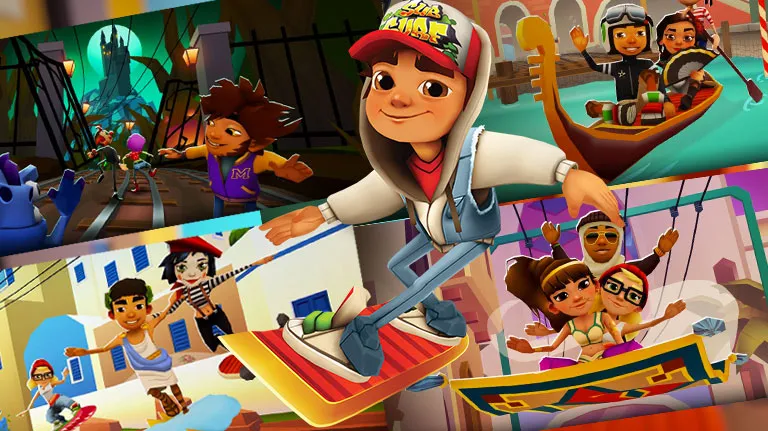
Projects built with Scratch, OpenProcessing, and standard HTML technologies can provide simpler ways to recreate or experiment with Subway Surfers-style gameplay. They are generally more useful for learning and prototyping than for reproducing the full mobile game.
| Project Type | Common Technology | Typical Purpose | What You May Find |
|---|---|---|---|
| Scratch projects | Scratch blocks | Beginner game development | Basic movement, obstacles, scoring, and simple animations |
| OpenProcessing projects | JavaScript / Processing | Creative coding and interactive experiments | Canvas-based graphics, movement, animations, and gameplay experiments |
| HTML projects | HTML, CSS, JavaScript | Browser-based game development | Web pages, game logic, controls, graphics, and browser gameplay |
| JavaScript recreations | JavaScript and related web tools | Interactive browser projects | Endless-runner mechanics, collision logic, scoring, and keyboard controls |
These projects should be viewed as independent recreations or coding exercises, not as official Subway Surfers repositories. A project may reproduce a few recognizable mechanics while leaving out characters, maps, progression systems, or other parts of the original game.
GitHub’s Subway Surfers topic currently includes browser-oriented JavaScript and WebGL recreations, showing how common this type of project is within the broader search category.
Before running one locally or in a browser, review its project description, source files, dependencies, and any instructions provided by its creator.
Source Code, Playable Demos, and Extensions

| Project Type | What It Usually Provides | How It Is Used | What to Check |
|---|---|---|---|
| Source code | Scripts, assets, project files, or game logic | Study, modify, or build the project locally | Language, framework, dependencies, license, and setup instructions |
| Playable demo | A working browser or downloadable build | Try the recreated gameplay without studying all the code first | Hosting source, required files, permissions, and whether it is a fan project |
| Browser project | HTML, CSS, JavaScript, and related web files | Run or test the project in a web browser | Dependencies, browser support, external resources, and project documentation |
| Chrome extension | Browser extension files and configuration | Adds a particular game-related experience to Chrome | Developer identity, permissions, reviews, source availability, and whether it is official |
| Game-engine project | Unity or other engine scenes, scripts, and assets | Open and develop the project in its supported engine | Engine version, missing assets, dependencies, and build instructions |
These categories can overlap. A GitHub repository may contain source code as well as a playable demo, while another project may only provide code without a ready-to-run build.
A public WebGL clone, for example, can include both source files and a browser-oriented game structure. One public repository contains JavaScript and HTML files alongside assets and separate files for elements such as the player, trains, coins, obstacles, tracks, and controls.
A Unity repository can work differently because the project may require the appropriate Unity environment, project assets, packages, and configuration before it can be opened or built. Public Subway Surfers-style Unity repositories demonstrate this structure with folders such as Assets, Packages, and ProjectSettings.
A project using the Subway Surfers name is also not automatically an official release. Checking the repository’s creator, documentation, license, and project structure helps establish what you are actually looking at before downloading or running it.
Code and Repository Safety Checks
- Check the repository owner: Look at the GitHub username or organization behind the project. A repository using the Subway Surfers name is not automatically affiliated with the game’s developer.
- Read the README: Review the project’s purpose, installation steps, dependencies, and known limitations before running anything.
- Inspect the files: Look through scripts, configuration files, installation commands, and included executables rather than running unknown files immediately.
- Review dependencies: Check which packages, libraries, frameworks, or external resources the project requires and where they come from.
- Check the license: A public repository does not automatically mean that its code, artwork, characters, or other assets can be reused without restrictions.
- Look at project activity: Recent commits, issue discussions, and release information can provide useful context about whether a project is maintained.
- Be careful with downloads: Avoid unexplained executables, modified APKs, password-protected archives, or instructions that ask you to disable security protections.
- Check requested permissions: If a project installs an extension or application, review the permissions it requests and consider whether they make sense for its stated purpose.
- Use a controlled environment: If you are testing unfamiliar code, consider using an isolated development environment rather than running it directly on a device containing important personal files.
- Verify before publishing or reusing: If you plan to use code, images, sounds, or other assets from a repository, confirm the applicable license and attribution requirements first.
A GitHub repository can be useful for learning game development, but its presence on GitHub is not itself a guarantee that the project is official, complete, or safe to run.
The safest approach is to understand what the repository contains before executing code or installing anything, especially when a project includes third-party downloads or asks for unusual permissions. This distinction matters because the Subway Surfers topic includes not only game recreations but also repositories involving hacks, decrypted files, automation, and other unrelated or higher-risk uses.
Copyright and Branding Considerations
Subway Surfers is a branded commercial game, so a GitHub project using its name, characters, artwork, sounds, or other recognizable elements should not automatically be treated as official or freely reusable.
A fan-made repository can contain original code written by its creator while still including third-party branding or assets that have separate copyright or trademark considerations. Before copying, modifying, redistributing, or publishing a project, check its license and determine which parts are actually covered by that license.
A repository’s code license does not necessarily give you permission to reuse third-party game assets, logos, characters, or other protected material. This is especially important when a project combines original programming work with recognizable game artwork or branding.
For public projects, keeping clear attribution and avoiding language that suggests official affiliation can also help prevent confusion about who created or endorsed the project.
FAQ
Final Thoughts
Subway Surfers projects on GitHub are best viewed as fan-made, educational, or experimental coding projects, rather than official versions of the game. Depending on the repository, you may find Unity projects, JavaScript or HTML recreations, Scratch experiments, OpenProcessing work, Python/OpenCV projects, source code, or playable demos.
GitHub’s current Subway Surfers topic demonstrates how broad this category is, with repositories covering game clones, WebGL projects, AI experiments, computer vision, Unity development, and other uses of the Subway Surfers name.
Before downloading or running a repository, check who created it, read the documentation, review its dependencies and license, and understand what files you are being asked to execute. Pay particular attention to projects that include third-party downloads, extensions, modified packages, or unclear branding.
For developers and learners, these repositories can still be useful for studying endless-runner mechanics and experimenting with game development. The key is to distinguish a Subway Surfers-inspired project from the official game and its proprietary code or assets.